Key Notes
- The $200 ModRetro Chromatic Codex Edition includes one programmable cartridge, with the official store expecting a November 19 restock.
- A collection of 13 Codex-built Game Boy Color games can be played in a browser or downloaded as ROMs without buying the handheld.
- The plugin supports building and revising games in Codex, while cartridge installation requires updated firmware and Developer Mode and can erase existing saves.
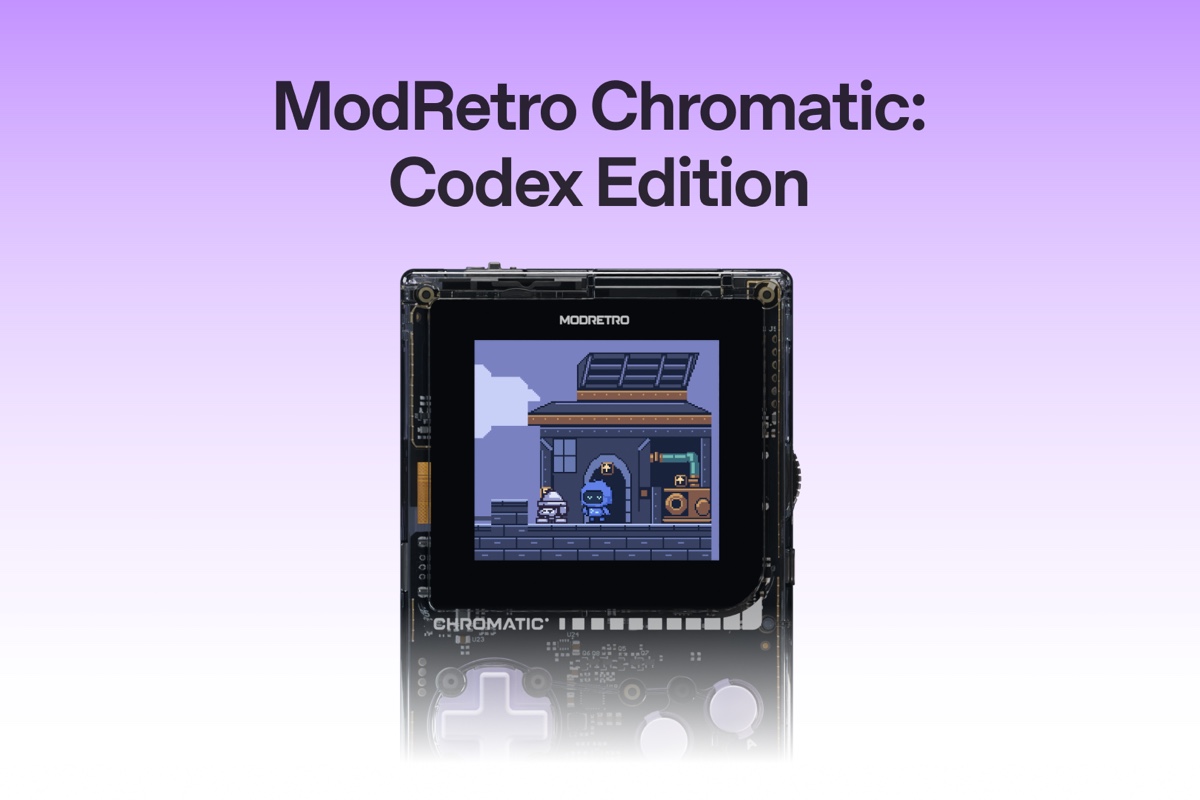
OpenAI and ModRetro are putting AI-assisted game development on a physical cartridge. Their $200 ModRetro Chromatic: Codex Edition pairs a transparent retro handheld with a programmable cartridge, giving players a way to build Game Boy Color games with Codex and take them off the computer.
The store listing currently shows the device as unavailable, with a restock expected November 19. Anyone curious about the games can already explore a separate collection of 13 Codex-built titles in a browser, without buying the handheld.
A Familiar Handheld With a New Development Route
This is a collaboration built around ModRetro’s Chromatic, which plays Game Boy, Game Boy Color and Chromatic cartridges. The Codex Edition has a transparent ABS shell and lavender controls, with the hardware visible beneath the casing.
OpenAI lists a 2.56-inch backlit IPS display at 160 by 144 pixels, a headphone jack and three included AA batteries. The package contains one programmable Codex Cartridge. Shipping is limited to the United States, Canada, Australia, New Zealand, Japan, the United Kingdom and the European Union.
The edition first appeared as a DevDay exclusive before this Supply Co. release. Its appeal for homebrew developers—the community making new games for older hardware—is the connection between building a game and playing it on a dedicated handheld.
Thirteen Games to Try Before Buying Hardware
The browser collection includes Codex Land, Ash & Oath, Swarmfall, Pizza Dash and Ember Escape. Each game has a playable page and a ROM download: the compiled game file that an emulator or compatible device can run.
That gives prospective creators two ways to investigate the project. They can sample the games immediately, then download a file to try in their own compatible setup. The gallery is also a useful indication of the target: small Game Boy Color projects built around the format’s screen, controls and technical limits.
For example, the Ember Escape page presents an embedded handheld emulator, a download option and keyboard controls. Players use the arrow keys for movement, X or Space for A, Z for B and Enter for Start. The page requires a browser with Canvas and WebAssembly support.
From a Codex Prompt to a Cartridge
OpenAI’s developer guide explains the creation side. The ModRetro Chromatic plugin works inside the Codex desktop app, where users describe a game, build it and open a preview. Projects can be edited in GB Studio, a visual Game Boy development tool.
The workflow goes beyond producing an initial build. Users can inspect sprite animations and collision maps, pause a preview to identify something they want changed, and ask Codex to rebuild the ROM. They can also request a sequence of button presses and compare captured frames.
OpenAI demonstrates the process with Lodge Podge, a game about a beaver collecting materials to construct a lodge. Its author describes revising the character and adding resources through further prompts. Even in this deliberately approachable example, making the game enjoyable involves playing, changing and rebuilding it.
For hardware installation, the guide calls for a compatible rewritable cartridge, a USB data cable, updated firmware and Developer Mode. Writing a new ROM replaces the existing game and can erase saves; the installer does not back up the cartridge.
Extra Codex Cartridges are listed separately at $50, also awaiting a November 19 restock. Their product page says they support .gb and .gbc files and include a Developer Mode activation code limited to two devices, exclusive to the Codex Edition.
We recently covered another approach to AI-assisted testing with Aura Autopilot. Here, the most accessible starting point is the browser gallery: try a few games, explore the development tools, then decide whether putting your own creation on a cartridge is worth the hardware purchase.